Historical context: This article was originally published on December 28, 2017, about the Chinese version of Violy. The release announcement and descriptions of app behavior below refer to that time.
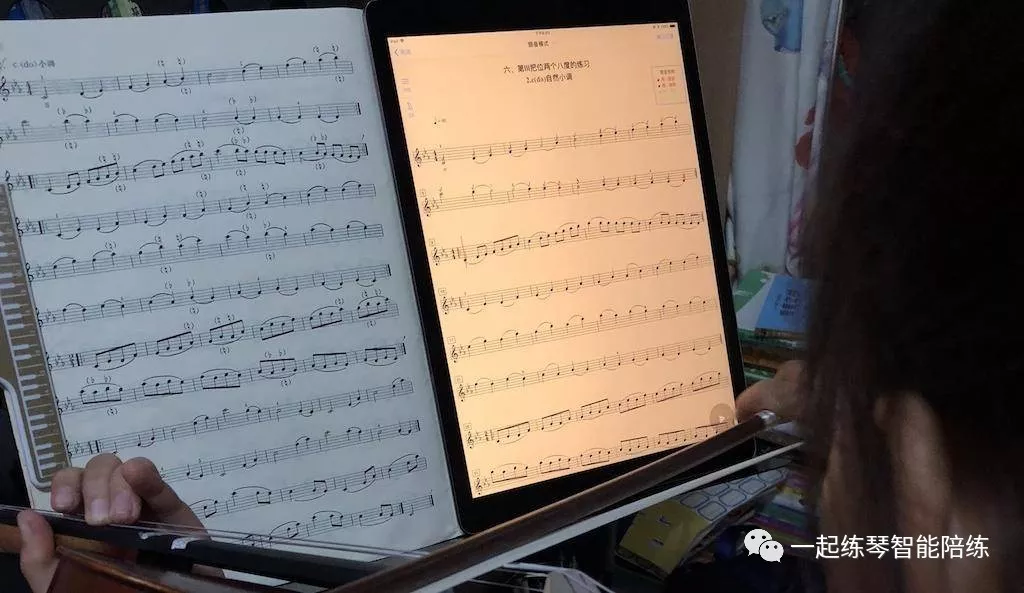
The Violy app has finally introduced Note-by-note practice.
This is a little embarrassing: we had just said in an earlier article that we were not considering a Note-by-note feature, and the very next version added it.
Why the change? Many parents requested the feature in App Store reviews and in conversations with us on WeChat. The violin teachers on our team also advised us that a Note-by-note mode would be useful. We simply hope parents will use it wisely rather than rely on it too much.
Why do we need Note-by-note practice?
I believe the idea of practicing slowly is widely accepted!
When starting a new piece, you need to spend time practicing slowly. During slow practice, get the rhythms and notes in the score right and learn to play them without mistakes. Only then will you be less likely to make mistakes when you increase the tempo. Otherwise, you may still make many mistakes at a faster tempo, and practicing those mistakes makes them familiar too. Correcting them then takes more time, making practice less efficient.
Finding the correct finger position for each note during slow practice is a basic skill, especially for beginners. Beginners are not yet familiar with reading music and sometimes make mistakes—my daughter occasionally misreads a line on the staff. Translating a note on the page into the correct finger position also takes practice. During this process, violin playing can be halting and uneven. Parents who do not understand music need not feel embarrassed; most parents are in the same position. They may not know whether their child has found the right note. If a wrong note becomes familiar through practice, that makes matters worse.
This creates a need for a tool such as Note-by-note practice: each time a note is played, the player receives immediate feedback on whether it is correct. If it is wrong, the app does not move forward; only after the correct note is played does it allow the player to move on to the next one. During this process, the app checks in real time whether the note at the current position in the score has been played correctly. If so, it moves to the next note and continues checking.
Many Violy users have received very low scores in Audition assessment practice. Some have even been unable to continue a session: too many mistakes mean that their playing matches the score too poorly, making the assessment mode more likely to stop automatically. In our experience at the time, the reason was that they had not practiced slowly enough and were not yet familiar with the score. With so many mistakes, they were already asking a teacher or the app to assess their playing. Naturally, the assessment could not continue. Imagine how a teacher would react to a performance full of mistakes.
Do not rely too heavily on Note-by-note practice
Note-by-note practice can help you find the right pitches during slow practice. However, you should not rely on it too much.
By relying too much, we mean opening the app every time you play, following the cursor on the score one note at a time, and shifting your fingers whenever the pitch is wrong.
The problem with doing this over the long term is that practice becomes too mechanical. The student keeps focusing on individual notes without developing enough awareness of phrases or a sense of the music as a whole. There is also too little active thinking. The student relies heavily on the app to judge intonation and spends less time thinking and analyzing independently. Without the app, they may lose confidence in their own playing.
Overdependence is the greatest concern with a practice aid such as Note-by-note mode: it can solve one problem while creating another. We therefore recommend keeping its use under control.
Once you have become reasonably fluent through Note-by-note practice, switch to Violy’s Audition assessment mode. The student can practice and play freely, then receive feedback at the end. Parents can even turn it into a game with their children, rather than reveal the result immediately.
For a parent of a young instrumentalist, perfect practice means one thing: PASS!
A typical situation goes like this: the child receives a new piece, and the teacher briefly explains it during the lesson. Back home, you make a practice plan so that the child can pass the teacher’s check at the next lesson, usually a week later. Ideally, the scale should pass on the first attempt, and the child should be able to pass two sections of the étude. Concertos are more complicated, so we will leave those aside here.
Take the simplest example: a scale.
For the first three days, practice slowly. Divide the scale into three sections and work on one each day.
For the next two days, spend more time on the difficult and important parts, connect some of the sections, and gradually increase the tempo. The key is to make sure there are no mistakes.
On the final day, connect the whole scale and increase the tempo. Aim to get close to perfect.
In step 1, one priority is to analyze the relationships between the finger positions in the scale for yourself. Another is to consider using a tool to make sure that every finger position you find produces the correct note. Of course, if you are advanced enough to judge this by ear, that is even better.
The most basic tool for this first step is a tuner.
At the time of this article, there was now another option: the Note-by-note practice feature offered by Violy.
In step 2 above, you can use Violy’s Audition assessment practice feature to identify mistakes promptly. If there are many mistakes, that suggests you did not do enough slow practice in step 1. Go back and continue practicing slowly in sections.
At step 3, the author’s rule of thumb was that an app assessment score of at least 90, ideally 95, suggested the child should be ready to PASS the teacher’s check.
If parents cannot tell how their child is doing at each stage of practice, the author describes the next lesson as a matter of luck: more often than not, the child fails the check and comes home to practice again.
Violy’s goal is to use technology to help parents, young instrumentalists, and enthusiasts receive timely practice feedback and correct mistakes promptly, improving practice efficiency.
Violy is a practice aid. Do not become overly dependent on the app—be the one in control of the tool!