
Translation note: This article presents the original Chinese guide. Its descriptions of feature releases, live coaching, and introductory membership benefits refer to the China-region offering at the time of the original guide, rather than current Global availability or benefits. References to demonstration videos are retained from the source, which contains no embedded video links.
In just a few minutes, this article will introduce you to:
What the Violy app is, and why it can help you.
Violy is a practice tool designed to help us practice our instruments efficiently.
The original guide describes Violy as a well-known practice app in China and abroad, with a ten-year history at the time of writing.
It supports a range of instruments, including piano, violin, cello, viola, digital piano, clarinet, and flute.
The app helps us practice through its resources and features.
-
Resources: The app includes free sheet music and demonstration audio and videos, making scores and demonstrations easy to find.
-
Features: It offers basic tools such as a metronome and tuner, as well as more advanced options such as AI assessment and live practice coaching. These features help you check the accuracy of your practice.
First, get your ticket for a journey toward more efficient practice 🚢: download the app.
Download the Violy app for free:

Press and hold to scan the QR code and download the app.
Welcome aboard! First, let me show you how Violy can help you:
Here is the practice routine we recommend:
-
Find the sheet music you are practicing in the app.
-
Open the score and use playback to watch demonstrations, listen to the performance, and sing along with the notes.
-
Once you are familiar with the score, use Note-by-note mode to check that you are playing the correct pitches.
-
After you have practiced the piece thoroughly, use the AI assessment feature, Audition, to check your accuracy and identify and correct mistakes yourself.
-
Once your pitch, tempo, and rhythm are correct, use the accompaniment feature to have fun making music.
Throughout your practice, you can use the practice check-in feature, which listens to your instrument, to record your practice. You can also have a live coach accompany your practice over video.
Demonstrations of the individual features follow.
How to search for and use sheet music in the app:
You can use any piece in the sheet music library. Even better, these scores can all be played back!
Next, I will show you how to play back a score and adjust the playback speed.
When we start a new piece, reading the score, listening to the audio, and using playback to sing the notes can help us become familiar with it quickly. Watching a demonstration performance can also help us get started sooner! In addition, many scores support accompaniment.
The next video shows you how to watch demonstration videos attached to a score and use accompaniment audio.
Note: The original China-region guide announced that Violy supported AI accompaniment, which had launched on Apple devices, and invited readers to try it.
The guide also announced the launch of band accompaniment, with band backing tracks provided for all the practice pieces.
Once you are familiar with the score and ready to practice,
you can start with Note-by-note mode, practicing one note at a time.
During Note-by-note practice, always pay attention to the cursor position. Unless you play the current note correctly, the app cannot recognize the next note.
Once you have mastered the piece, try the Audition assessment feature:
As you play, the app listens to your instrument and gives you a score, showing you where you played incorrect notes and where you need to improve.
This is one of Violy’s core features: using practice data to support a systematic approach to practice.
For beginners, learning to use this feature can be challenging. The original guide encourages you to give it a try, saying that learning to use it will help take your playing to the next level. Watch the next video and try it yourself!
Using Audition gives you a performance score and generates a practice assessment report.
Basic tools such as a tuner and metronome are also available.
If you want to tune your violin, watch the video.
When tuning, make adjustments slowly and patiently.
There are many other features in the app for you to explore:
The practice check-in feature,
which tracks actual practice time by counting only the time when it hears your instrument.
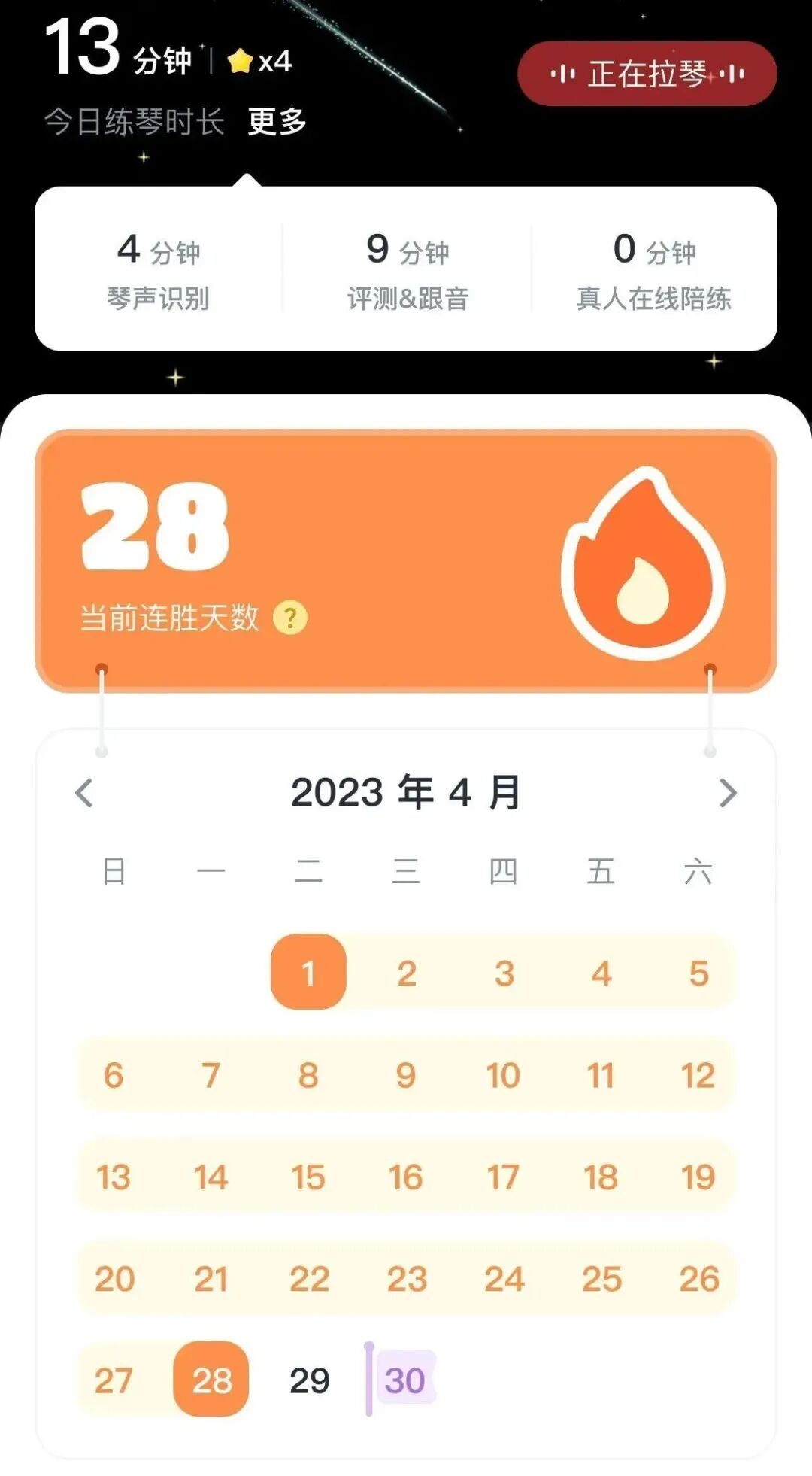
Practice check-in
And the practice check-in streak system:
Earn one star each day by logging 10 minutes of instrument practice.
How many days can you keep your streak going?

In addition,
the original China-region guide described live online practice-coaching lessons in the Violy app, using one-to-one, two-way video calls. Teachers were available for violin, piano, guzheng (a Chinese plucked zither), and other instruments.
The guide also stated that first-time users would automatically receive a complimentary membership, which they could claim in the app to try its features without restrictions. Live online practice coaching was excluded from this offer.
If you have any questions about the app,
the original guide invites you to contact Violy China customer support at any time:

Scan the QR code to add Xiaoba, the China-region customer support contact.
Trying it yourself is better than hearing about it—give it a go!